by
by 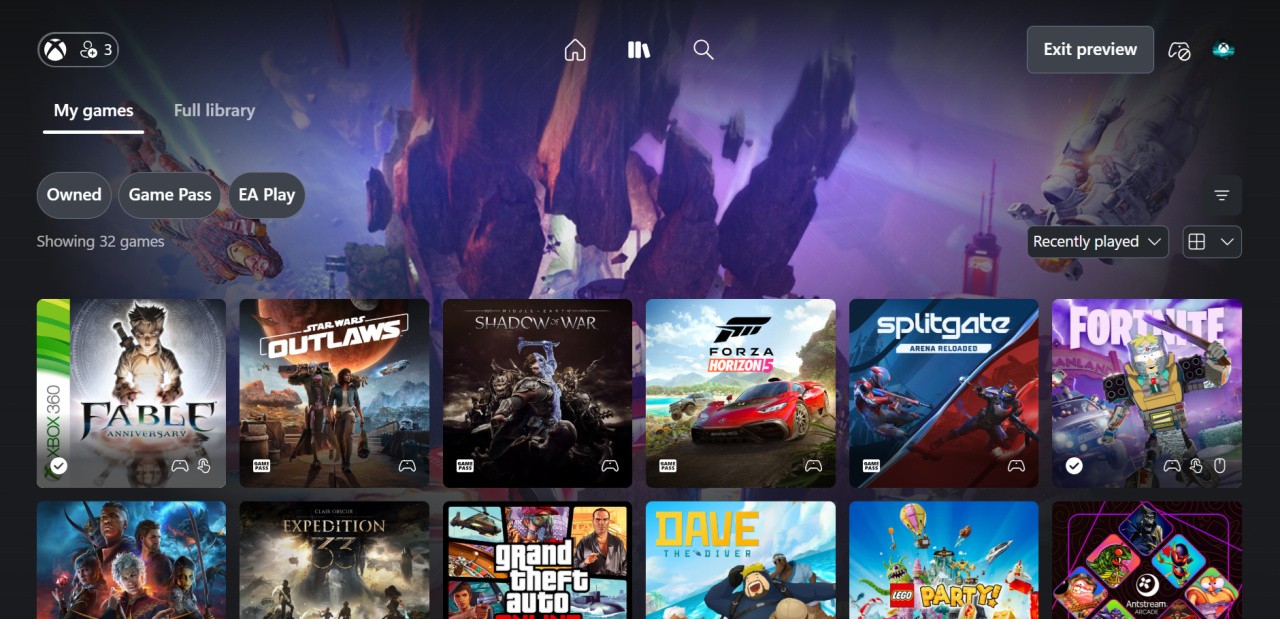
If you're a big fan of playing games via Xbox Cloud Gaming on the web, you might be interested to know that Microsoft is rolling out a new dashboard for it, and you can actually start using it today if you want to.
For now, it's still just in a "Preview" phase, but you can activate the new dashboard by going to xbox.com/play in your browser, hitting your profile icon in the top-right corner, and clicking the toggle next to "Preview Features". After that, you'll need to go to play.xbox.com to see what the new dashboard looks like.
"Players who opt in to this preview will see some changes to their experience including updated navigation features and a refreshed look and feel. As this is a preview, some functions may not yet be available or may behave differently than the current web experience. We will continue iterating during the preview period and changes may be made over time."
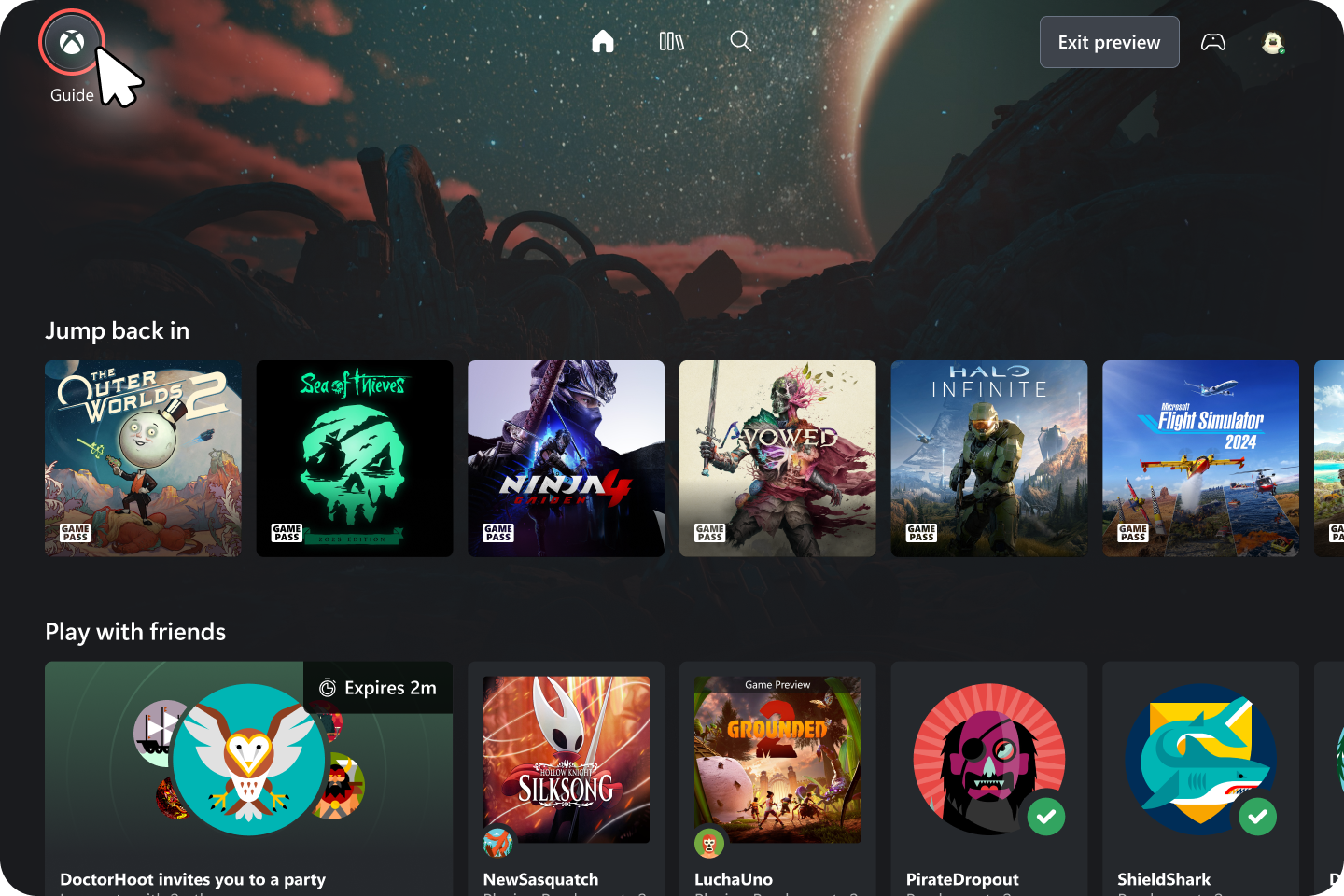
We've been poking around the new dashboard a little bit, and while it's very similar to the previous one, they've definitely changed the look and feel in some ways — all the menus have been redesigned slightly, certain icons have been added or taken away, and the most notable inclusion is that of a full library for your owned games.
From now on, it should be much easier than ever to find the "Stream Your Own Game" titles that are applicable to your account. You can see an example of this library section at the top of the article here.
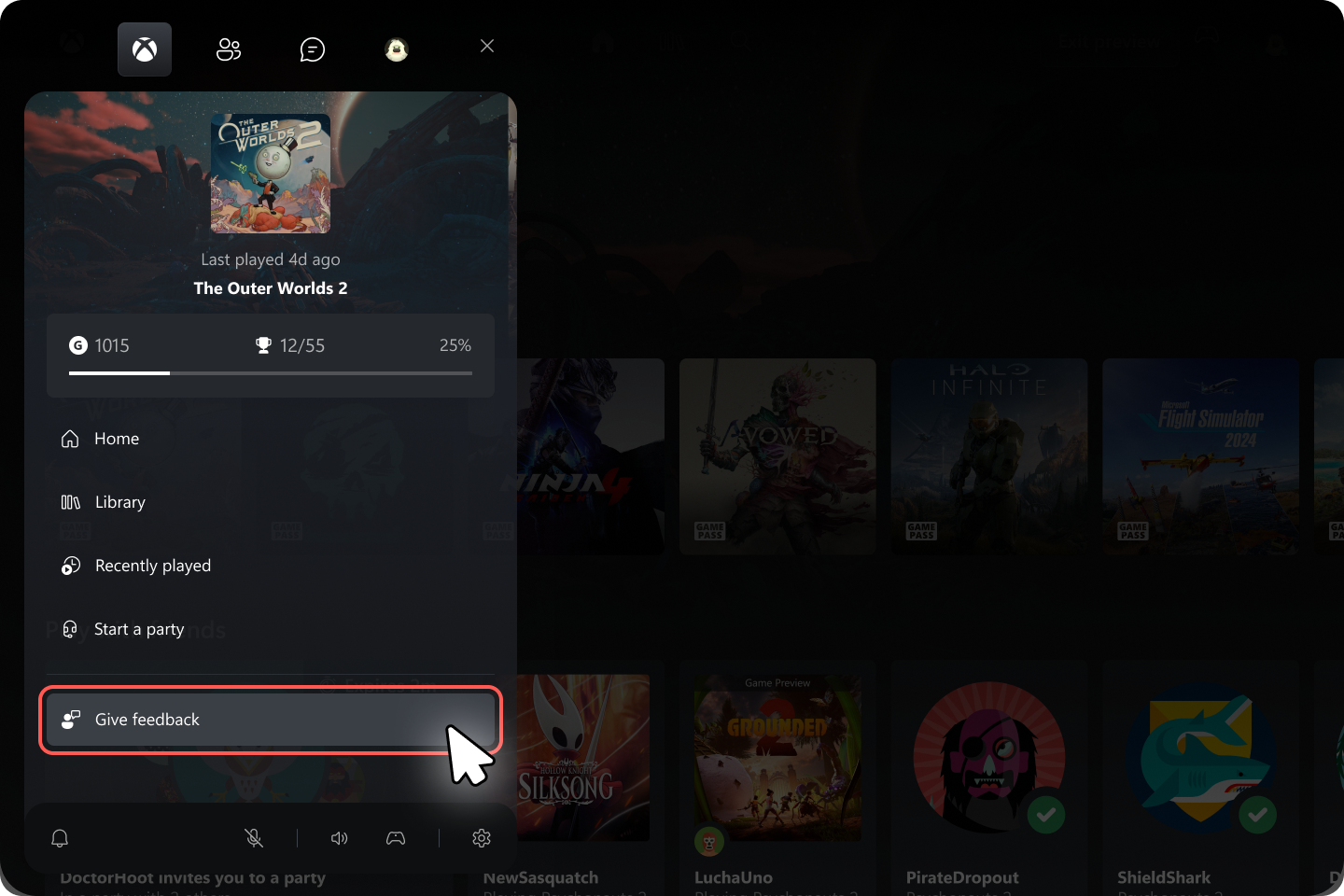
Go and check out this new dashboard for yourself if you want to, and don't forget to give feedback to Team Xbox about it — we'll leave you with some example images of how to do this below.