 by
by 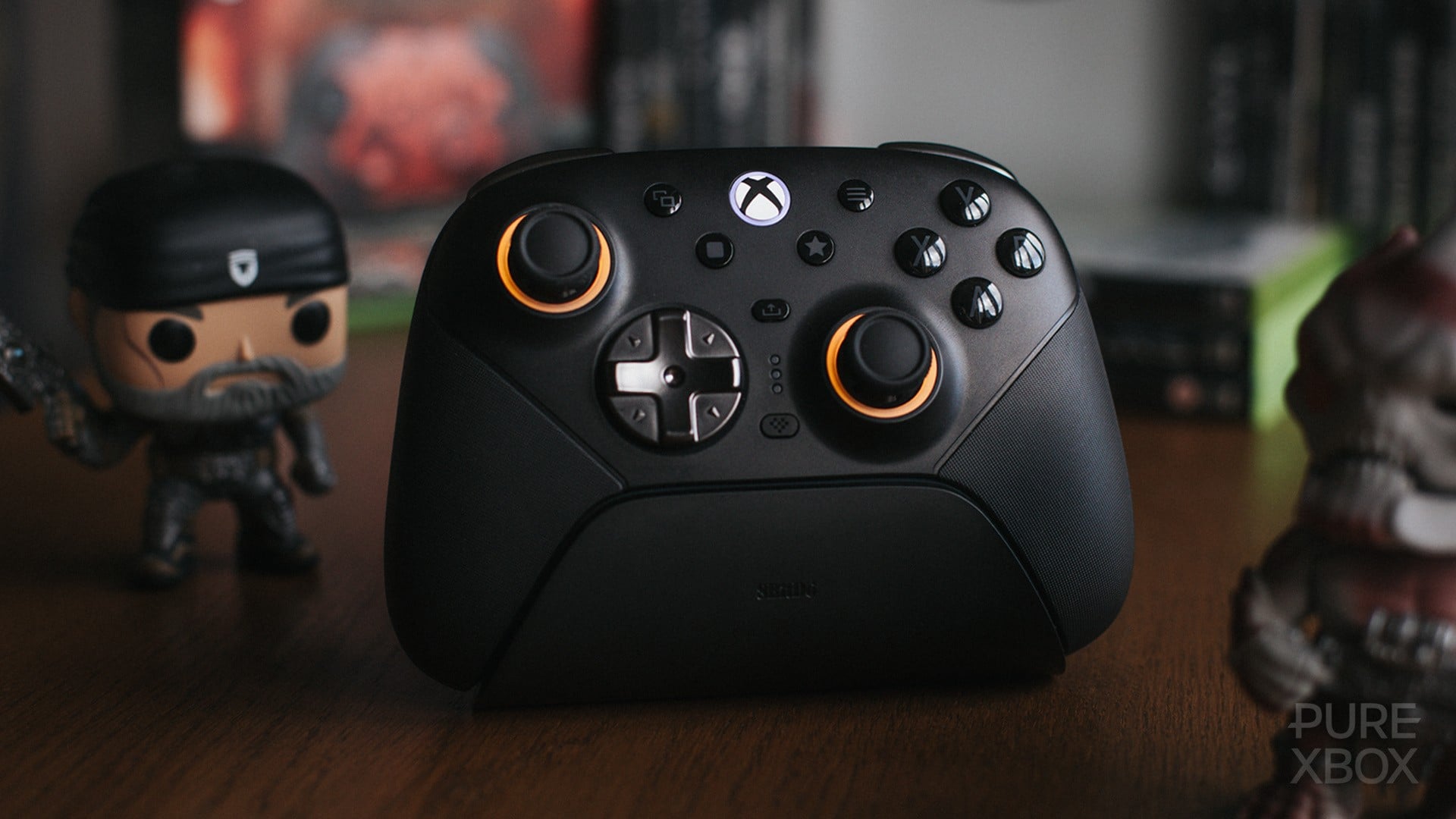
8BitDo is one of those brands that has built a name for itself by shipping solid and reliable third-party peripherals for PC and console. In fact, I'm typing this review on its clickity-clackity SNES-themed Retro Keyboard, so it’s fair to say I'm already a fan.
But when it comes to dethroning my go-to controller, the Xbox Elite Core 2, third-party alternatives never really stood a chance. That prospect seemed even less likely once my limited edition Gears of War: E-Day controller arrived. However, 8BitDo managed to pip the postie to my door by a few weeks, delivering its new Ultimate 3E Xbox controller. I've barely put it down since.
I've been lucky enough to go hands-on with the company's slick new Xbox-designed controller, and I've enjoyed using it so much that my Gears of War: E-Day controller has inadvertently become a collector's item. It's still tucked away in its original packaging.
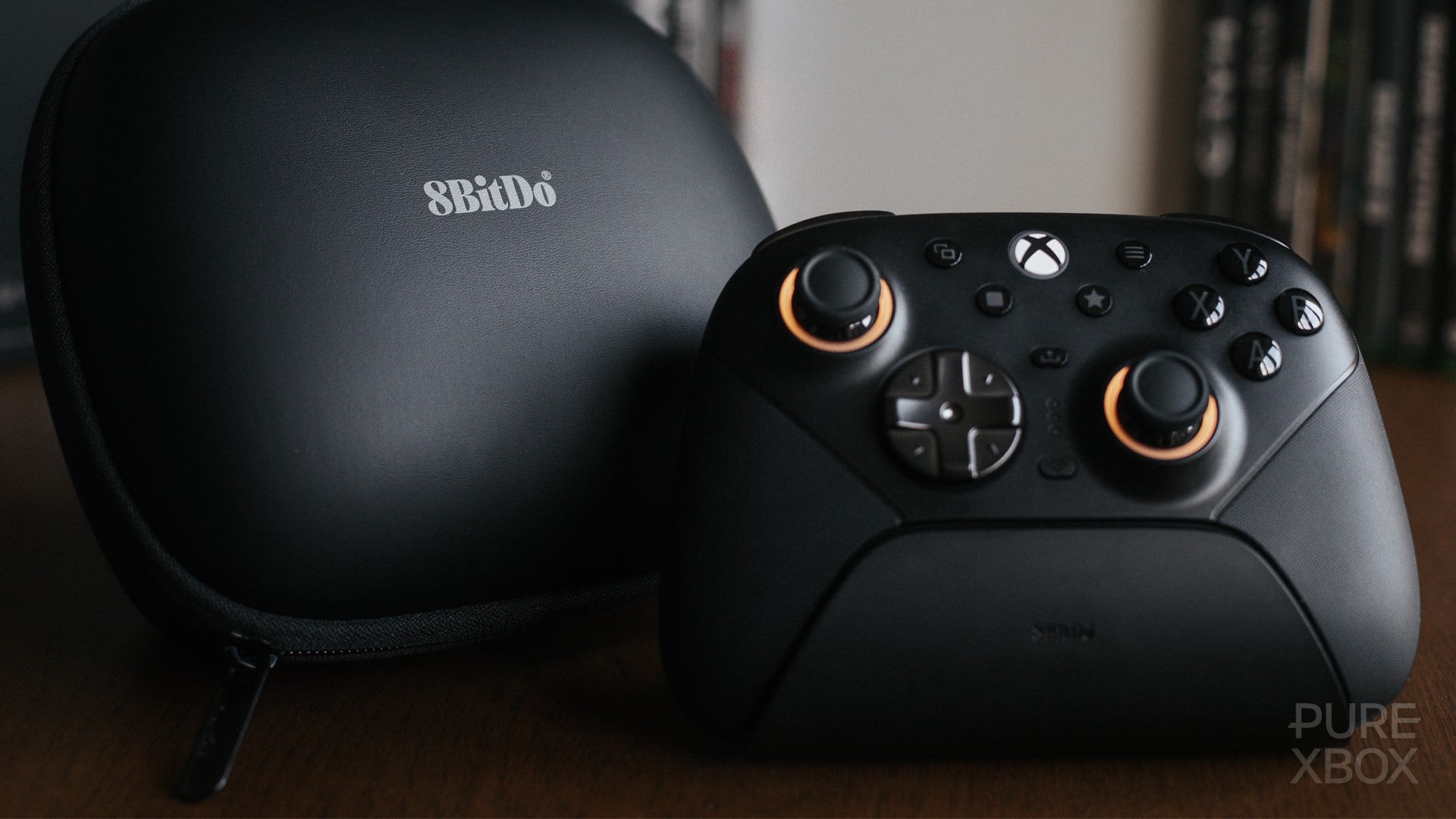
8BitDo designed this controller for "serious players", and that focus is reflected in its slick grey finish with minimal distractions. It shares much of its design identity with the standard Xbox controller in both form and function, but the Ultimate 3E is noticeably lighter, smaller, and a wee bit narrower than its first-party counterpart.
The Ultimate 3E is built for precision, but it wasn't until I landed a quick-fire triple batch of headshots with the Longshot in E-Day's Versus mode that I fully appreciated what that meant in practice.
The TMR sticks are fantastic and easily my favourite bit about this piece of kit. I've suffered the dreaded stick drift one too many times with standard potentiometer Xbox controllers, and nothing hurts quite like a bad case of the drifts happening to your favourite Halo Infinite Elite Core controller. RIP.
Thankfully, there's no need for that kind of mourning with the Ultimate 3E, thanks to its Tunnel Magnetoresistance (TMR) sticks.
As you’d expect from an Xbox-focused controller, the sticks sit in the familiar Xbox formation, accompanied by a textured circular D-pad and monochrome face buttons.
There’s plenty of room to make the controller your own. The magnetic faceplate is removeable, whilst the extra TMR sticks, classic D-Pad and ABXY buttons offer modular customisation options, if you fancy switching things up. I'll admit I haven't felt the need to adjust any of these because I'm thoroughly enjoying the default loadout, but popping the faceplate off was a little scary at first.
Additional buttons on the face include the Xbox button, a Share button for quick captures, a Profile button for switching between controller configurations, and the Star and Square buttons near the midriff.
The Star button cycles through the controller's four lighting effects, illuminating the outer rings of the joysticks quite nicely. Meanwhile, combining a button press with the Square button provides a quick and easy way to hotkey the various bumpers, triggers, and pressure-sensitive pads on the shoulders and back. It's proper no-faff hot keying too, as there's no need to hop into the Xbox Accessories app to reconfigure the controller.
Around the back, you’ll find two back panels, along with an additional bumper button nestled on each shoulder of the controller. All feel natural and are great options for hotkeying.
One of the main reasons I love the Elite Core 2 controllers is the rear trigger stops. By shortening the distance the trigger needs to travel before registering an input, they give you a real advantage in shooters, where quick reactions are required to best your foes. The Ultimate 3E has trigger stops of its own, and combined with the Hall Effect Impulse Triggers, they feel very nice when pressed.
Now, I won't pretend to be a tech specs whizzkid, but connecting the Ultimate 3E to my PC over wired and wireless connection feels almost identical. Input lag is barely noticeable, and everything feels responsive. According to 8BitDo, the controller supports polling rates of up to 1000hz on PC, and all I can say is that it feels great to play with.
Connectivity is a little more complicated. The Ultimate 3E supports both Bluetooth and 2.4G connections, but 8BitDo's signature bricky USB dongle uses USB-C. As I'm aware, Xbox consoles don’t support this dongle directly, so you’ll need to connect the supplied USB-A to USB-C cable to the charging dock and connect that to your console instead.
I suppose it's jolly good the controller looks slick as heck when perched on its dock. My only annoyance is having to lug the dock around whenever I move my Xbox Series X between the office and living room. That’s probably not an issue for most people, but it's a little irksome for me.
When all is said and done, the Ultimate 3E is a bloody lovely controller for both Xbox and PC. It's been my go-to peripheral ever since it arrived in the post, and I reckon it'll remain my primary pad for some time to come. Its subtle, slick design is understated and as thoughtful as its competitive joysticks and triggers.
The only hitch is the price: £139.99 / $149.99. That's a hefty sum if, like me, you're a little unsure about officially licensed third-party controllers. But after spending more than 100 hours with the Ultimate 3E nestled in my palms, I couldn't recommend it enough.
Please note that some external links on this page are affiliate links, which means if you click them and make a purchase we may receive a small percentage of the sale. Please read our FTC Disclosure for more information.