 by
by 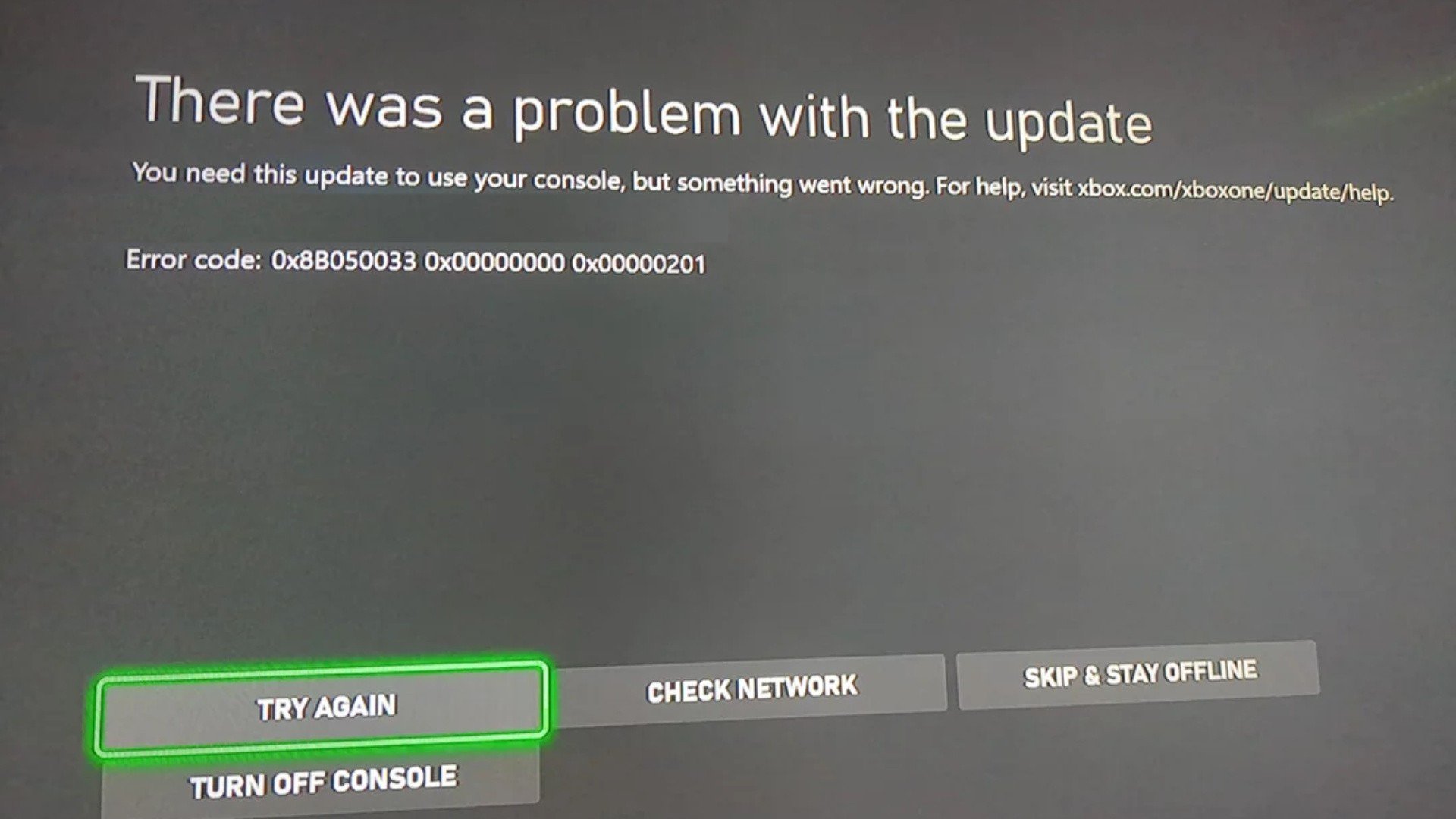
Update []: The team behind the Xbox Insider program has since commented on this, stating that it was a "service issue not related to the Preview update itself" and has now been fixed.
"Hey all, sorry to hear that you were encountering issues with trying to update the console. This was actually a service issue not related to the Preview update itself and has been fixed. You should be able to update your device normally."
Original Story: If you've woken up this morning (or stayed up late last night) to find that your Xbox console suddenly won't work and is presenting you with a "problem with the update" screen instead, rest assured that you're definitely not alone!
This error (0x8B050033) started presenting itself a few hours ago, and seems specific to certain members of the Xbox Insider program. When it appears, you can't apply the update, meaning there's no easy way to access your console.
Lots and lots of people have been reporting this error already - here's just one example:
Obviously this is something that can happen with the Xbox Insider program - you're part of an experimental testing ring after all - and the good news is that Team Xbox will likely have a permanent fix for the error in the very near future.
If you're desperate to get on your Xbox right now though, the alternative method that fans are sharing is to unenroll yourself from the Xbox Insider program, which seems to be working for most people... but not all.
- Sign in on any Xbox console or Windows 10 PC with your Microsoft account registered in the Xbox Insider Program.
- Launch the Xbox Insider Hub.
- In the Xbox Insider Hub, navigate to Settings > Manage devices.
- Select the console(s) or device(s) you wish to remove from the Xbox Insider Program, then select Done.
"This disassociates the console or device from your Microsoft account, and removes access to any playtests, previews, or betas through the Xbox Insider Program."
As you can see, the idea here is to sign into the Xbox Insider Hub on a Windows PC (or another Xbox console) and then go to Settings > Manage Devices and then choose the console you want to remove from the Insider program.
The problem with this is that you might be prompted to do some kind of factory reset on your console, meaning certain (or all) aspects of your profile may need re-applying / re-installing in order to get everything back to normal. Some have also suggested that even after doing a factory reset, they're still running into issues.
Personally, we'd suggest avoiding the workaround if you can help it (just in case it causes even more issues), and we'll obviously let you know when Xbox Support announces a proper fix - hopefully in just a few hours' time!