 by
by 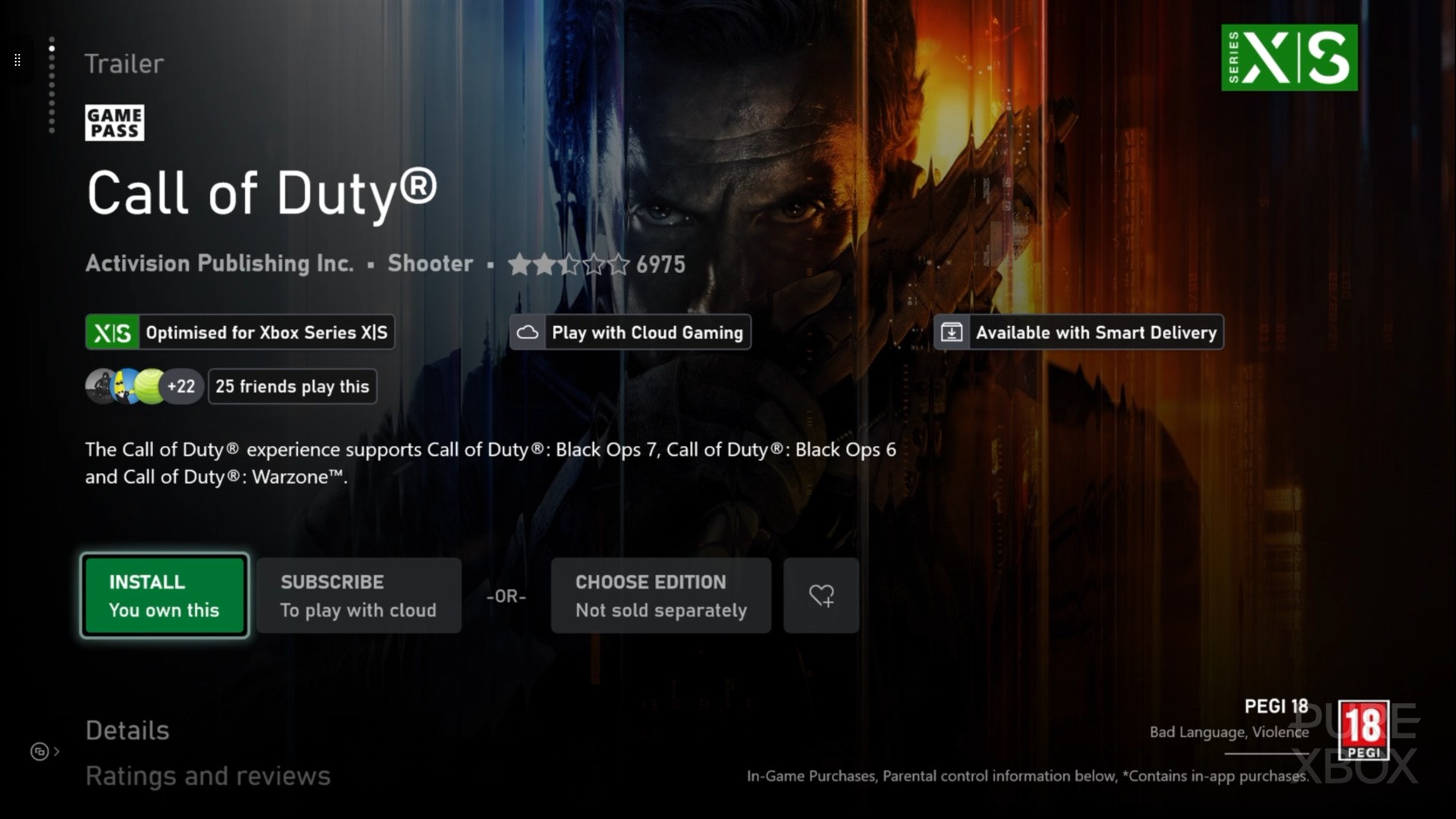
So, the Call of Duty: Black Ops 7 beta kicks into gear later today - and we've detailed all of the release times, rewards, content included and other information in our full BO7 beta guide. However, pre-loads are now live, and that brings us on to installing the beta on Xbox.
As has become the norm with Call of Duty, things aren't quite as simple as just installing a Black Ops 7 beta app. Instead, the BO7 beta will be a part of the 'Call of Duty hub' — where Black Ops 6 and Warzone also reside — and it's simply a case of adding the correct beta files to jump in.
Here's a step-by-step guide on how to do just that and get stuck into the Black Ops 7 beta on Xbox:
- Boot up your Xbox console and head to the Microsoft Store
- Search 'Call of Duty' and select the app simply named 'Call of Duty'
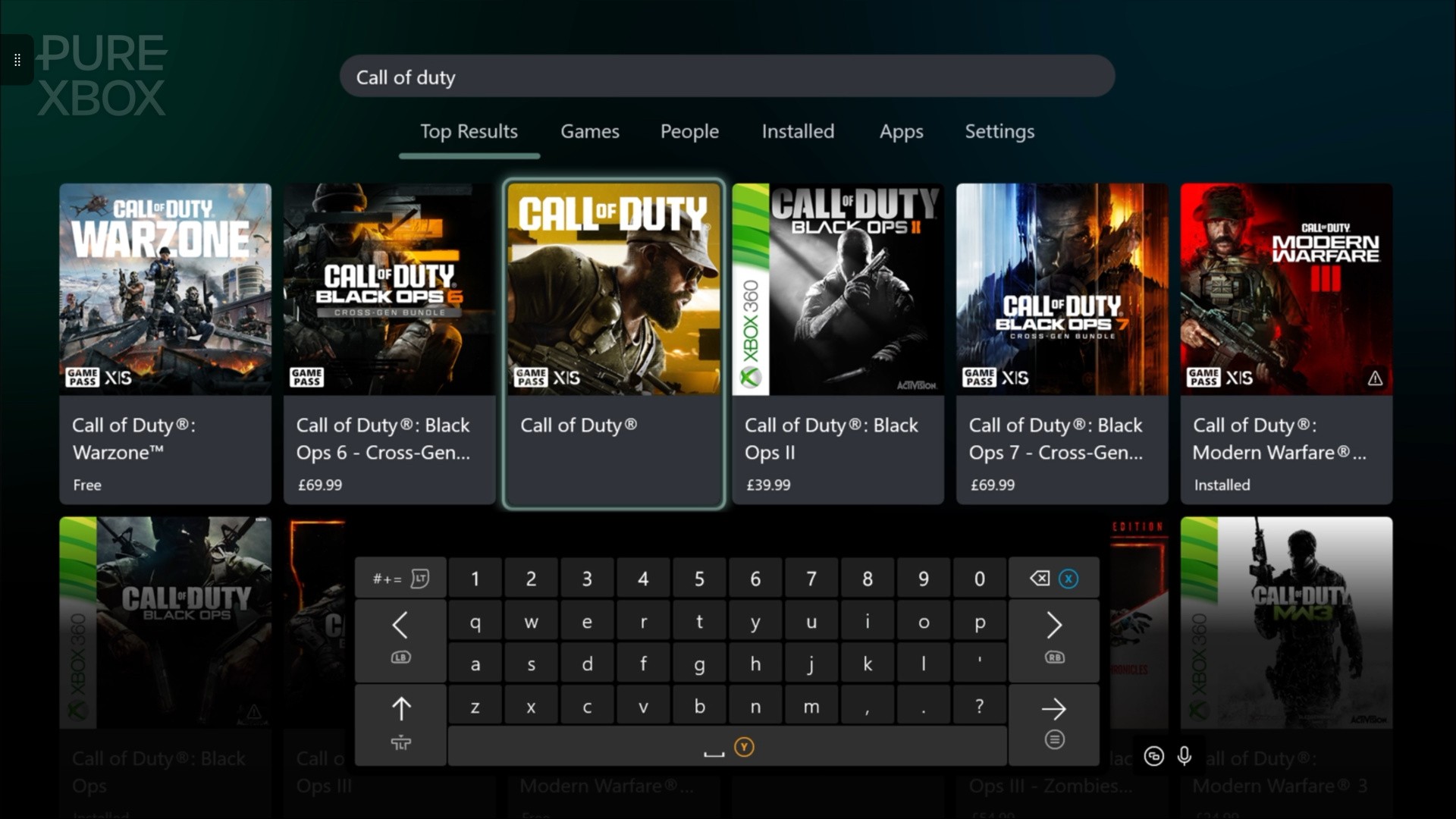
- Hit 'install' on the store page and then select 'choose what to install'
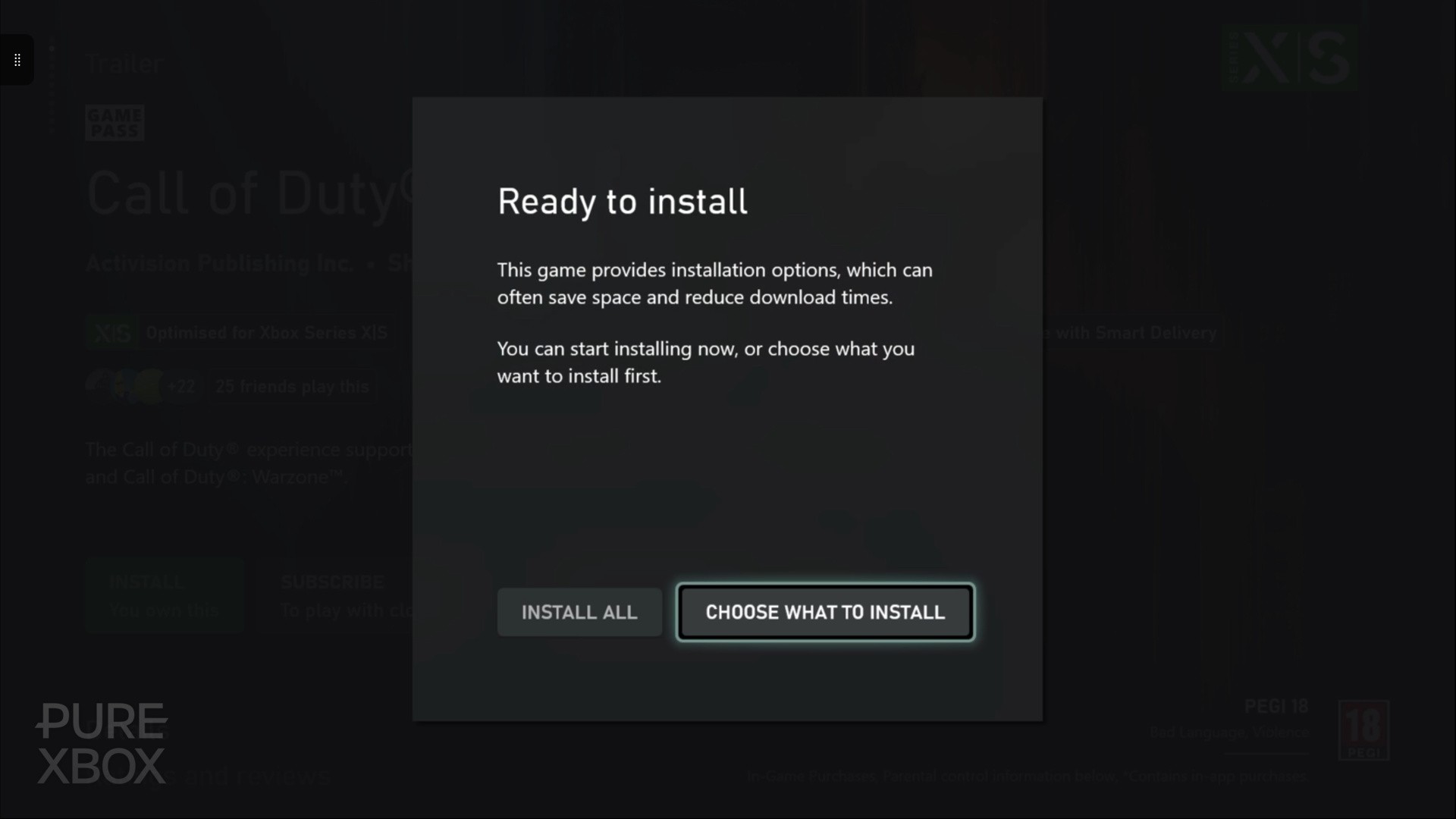
- Select 'Call of Duty base game' and 'BO7: Multiplayer' from the main list
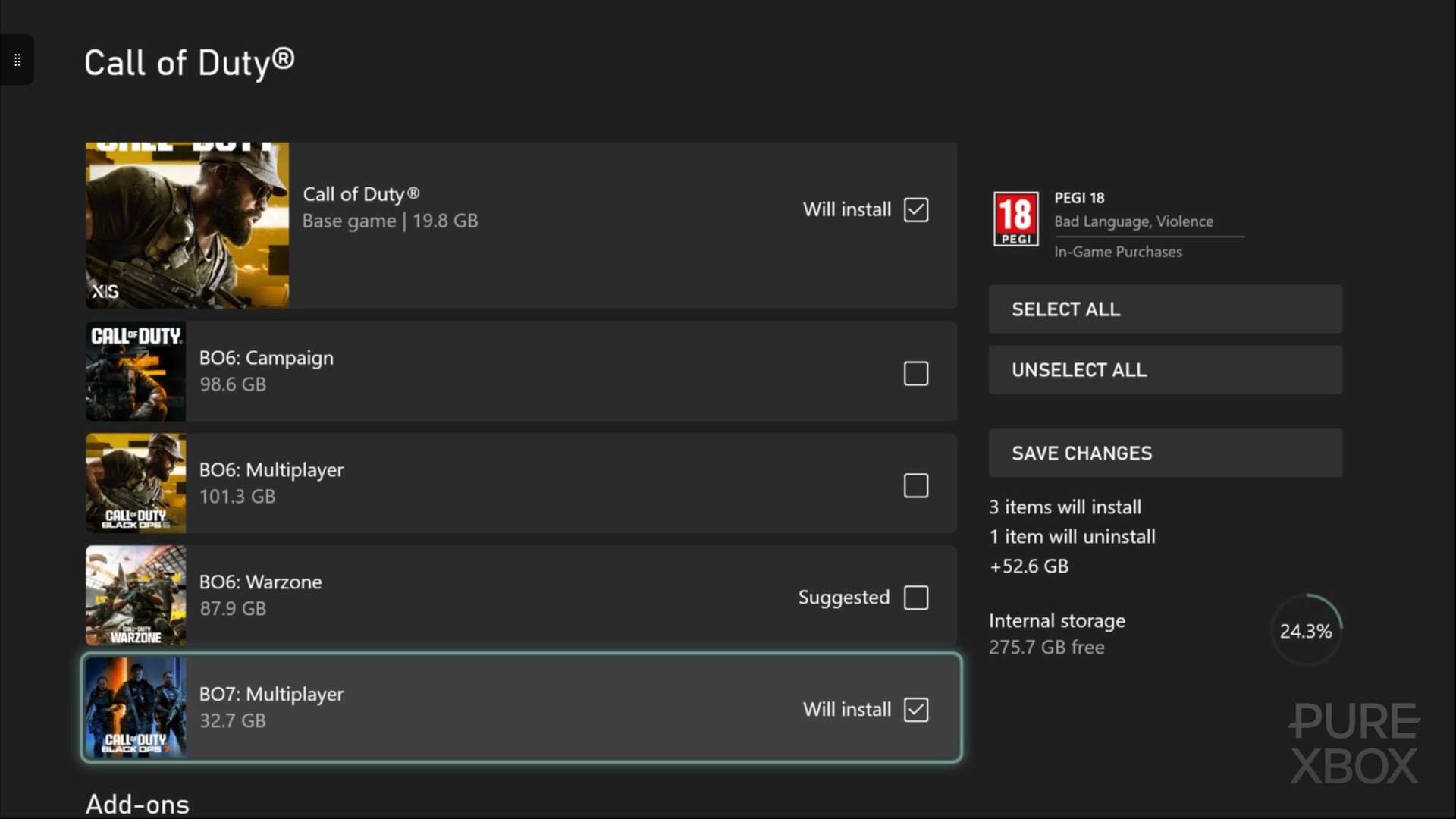
- Scroll down and select 'Black Ops 7 - Beta Pack 1' from the add-ons list (and the 'Early Access Pack 1' if you have it)
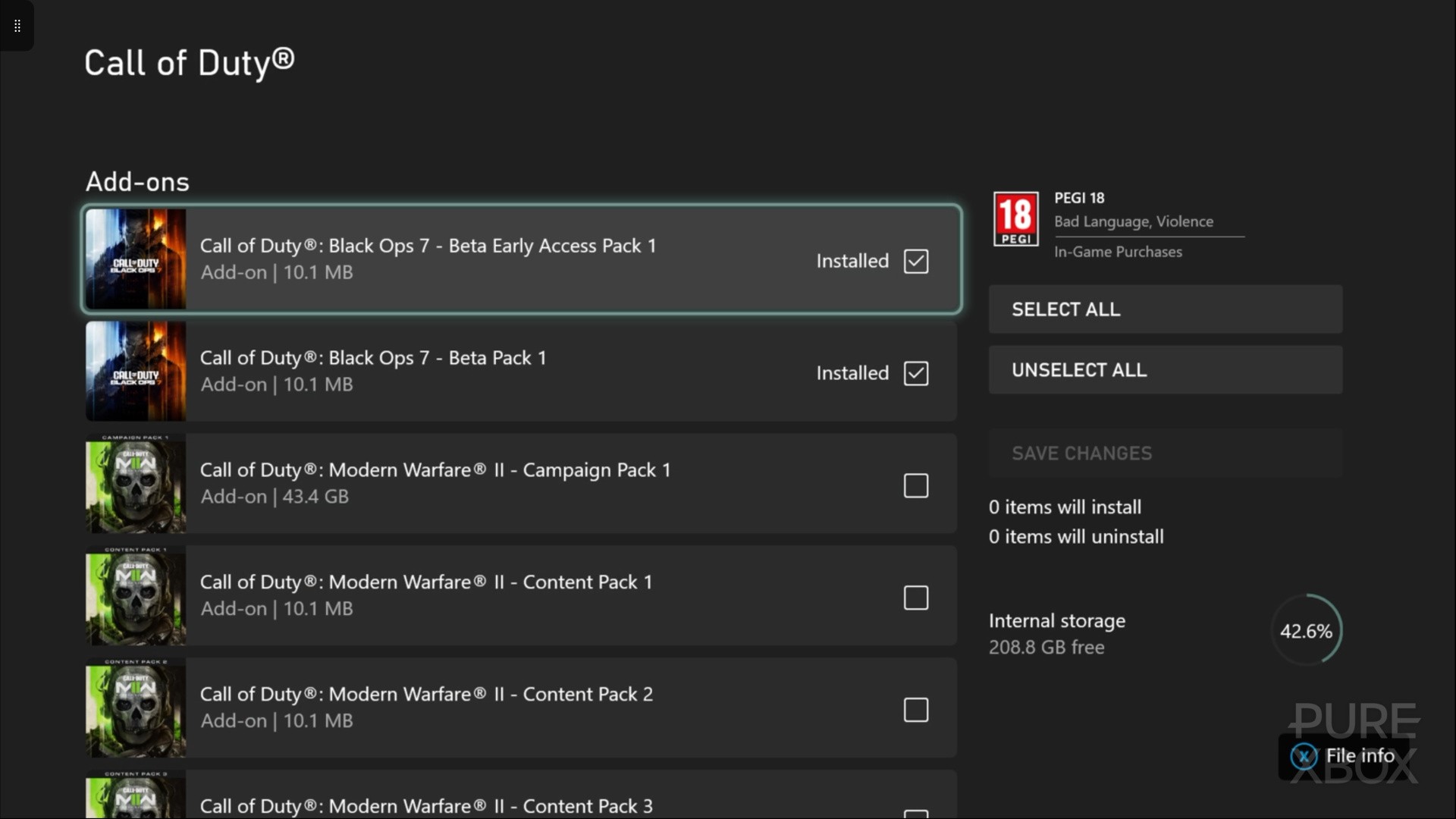
- Simply hit 'save changes' and those files will begin installing!
Once that's all installed and ready to go, the Black Ops 7 beta is presented to you right on the main page of the Call of Duty app. Of course, when you can jump in and play depends on how you're accessing the beta, but the good news is that Game Pass Ultimate players get to play during the early access period starting today.
For everything on the full Black Ops 7 beta timings, check out our handy guide on the game down below: