 by
by 
Microsoft is officially in the process of removing SMS authentication and account recovery as an option from everyone's personal Microsoft account, which means Xbox accounts will also be affected by this change.
Basically, instead of sending texts where you can prove your identity with a six-digit code when trying to sign in, Microsoft is now pushing everyone towards other methods such as passkeys where you can use Face ID, fingerprints and PIN numbers to sign in more securely. Many people are already using Microsoft Authenticator for their Xbox accounts, and this will seemingly continue to function as normal - it's just the SMS option that will soon be phased out.
"Microsoft is committed to advancing security standards and as such, we will start phasing out SMS as a method of authentication and account recovery for personal Microsoft accounts."
"Microsoft believes that the future of authentication is passwordless, secure, and user-friendly. SMS-based authentication is now a leading source of fraud, and by moving to passwordless accounts, passkeys, and verified email, we're helping you stay ahead of evolving threats while making account access simpler and more seamless."
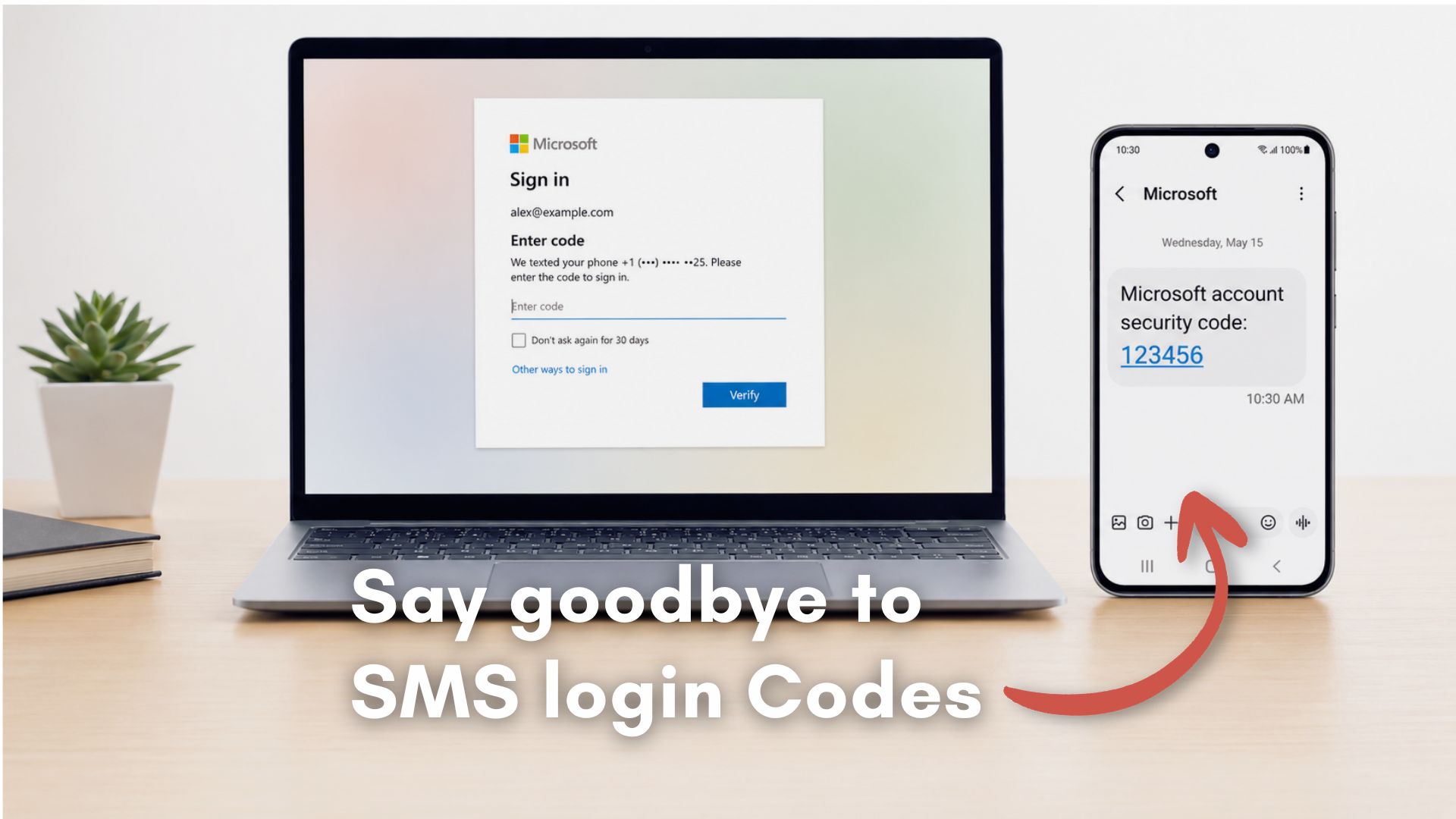
This image from Windows Latest shows an example of how SMS authentication currently works:
The official Microsoft Support website goes into detail about how you can protect your Microsoft account if you're interested, and it's also worth checking the Security part of your Microsoft account dashboard to see what's already set up on there. I've got a passwordless account with two-factor authentication turned on, for example, and my Microsoft Authenticator app (on Android) always sends me a notification whenever I want to sign into my account.
We do sometimes come across stories of Xbox owners who have sadly been hacked and lost access to their digital game libraries in the process, so it's definitely worth taking security seriously. Go and have a read of the "How to help keep your Microsoft account secure" page on the Microsoft website, see if there's anything you can do to improve your settings, and hopefully you'll never have to worry about any kind of potential fraud in the future.
We'll leave you with a bit more on why Microsoft is making this change:
"SMS authentication is vulnerable to phishing and SIM-swap attacks. We’re replacing it with passkeys and verified email for better protection and convenience.
Passkeys are a modern, phishing-resistant way to sign in using your device’s built-in authentication (like Face ID, fingerprint, or PIN). They’re faster and more secure than passwords or SMS codes. Recent updates to Microsoft account sign-in now support passkeys with device biometric authentication, making phishing virtually impossible."