 by
by 
Something we're big advocates of here at Pure Xbox is using two-step/two-factor authentication (or 2FA) to protect your Xbox account (and other accounts, such as your Fortnite Epic Games login), with additional security. It's actually really easy to do, and only takes five or ten minutes to set up.
So, how do you turn on two-step verification on Xbox? Let's run through it:
- First, head to the Security basics page on the official Microsoft website.
- Click on "Manage How I Sign In".
- Look for "Two-Step Verification" and follow the instructions to turn it on.
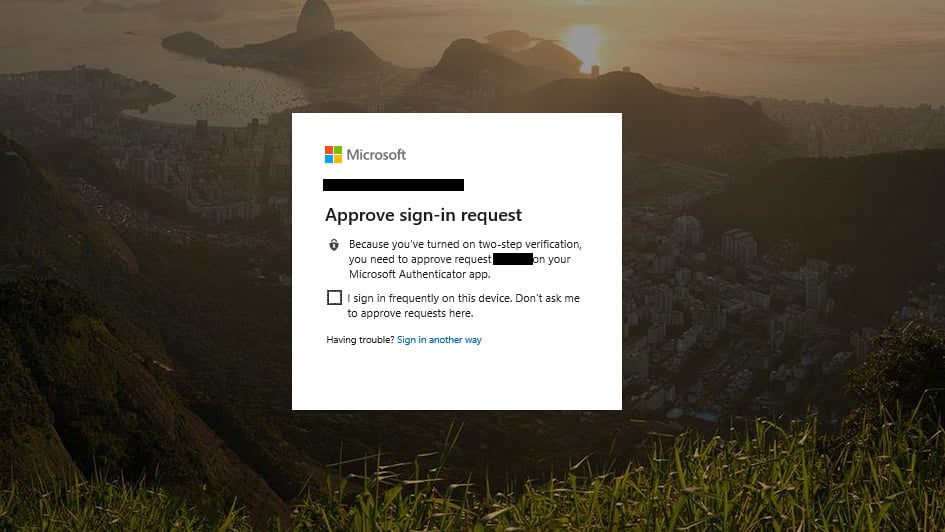
The best way to use 2FA for your Xbox account is via the Microsoft Authenticator app. Then, every time you sign into an untrusted device, the app will generate a one-time code for login. That way, even if someone gets access to your password, they still shouldn't be able to do anything with your account without the 2FA access.
You don't need to generate a code every time you log into your Xbox One or Series X|S, as it will be recognised as a trusted device (unless you leave it alone for a while). On Xbox 360, you'll need to generate a special App Password prior to playing for the first time, but this can also be activated via the "Manage How I Sign In" page.
Additionally, if you wish, you can turn off your password altogether (aside from on Xbox 360) and set up a passwordless account, which in theory is more secure and will require you to log in via the Authenticator app or SMS codes, for example.
Finally, there's a "view / recent activity" page that lets you see if anyone unusual has accessed your account, along with the ability to "receive alerts" if Microsoft detects unusual activity. Again, this can all be accessed by the "Manage How I Sign In" dashboard.
Have you enabled two-factor authentication for your Xbox account? Ask any questions in the comments below.
Please note that some external links on this page are affiliate links, which means if you click them and make a purchase we may receive a small percentage of the sale. Please read our FTC Disclosure for more information.


Comments 3
This is very useful as I abhor having to login every time. Thanks!
Yes, thank you for the guide!
Thanks for the PSA! I am going to set this up today
Show Comments
Leave A Comment
Hold on there, you need to login to post a comment...